
This features are currently available only under Early Access Program.
Overview
To achieve high availability of print jobs in cases when server or client spoolers are unavailable for any reason (such as hardware failure, operating system crash, or end-user's laptop going to sleep mode), it is possible to configure the replication of print jobs to another location besides the local JobStore of each FlexiSpooler. This is configured using global configuration options – see "Spooling locally with job replication" in the article Configuration and usage of JobStore.
However, the existing configuration options only allow replication to be enabled for all spoolers (both server spoolers and client spoolers on end-user workstations), in all locations, and to use only one common replication destination for all spoolers. This all-or-nothing configuration means that the practical use of the feature is limited to cases where a single file server is accessible over a very fast connection from all data centers and even end user sites (in the case of client spooling).
This Early Access Program feature improves the flexibility of the configuration of print job data replication, thus greatly enhancing its usefulness in practice.
Global configuration
Select which option applies to your deployment scenario in the Spooler location strategy (spoolerLocationStrategy) configuration property in System Settings:
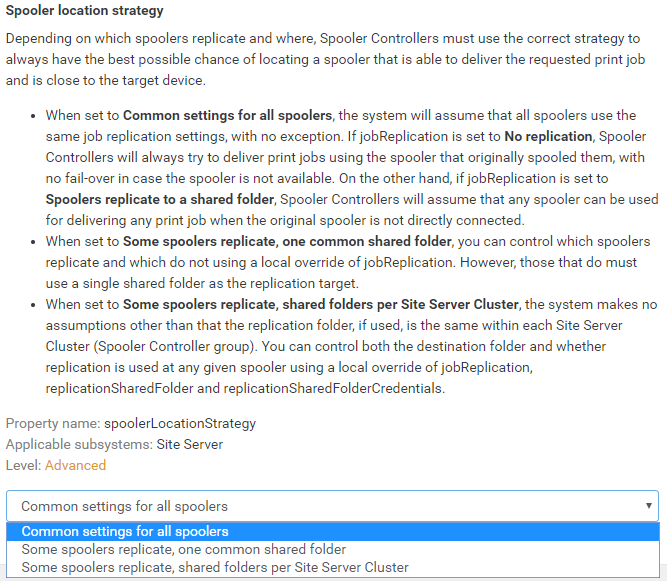
Select Some spoolers replicate, one common shared folder if you want to control which spoolers replicate and which do not, but all those that do replicate use the same target folder. This tells the system that, when releasing a print job, if it cannot reach the spooler that originally received the job, if should first try to locate that same spooler using near roaming and far roaming, and only if this fails, use any available spooler within the Spooler Controller cluster that controls the printing device.
Select Some spoolers replicate, shared folders per Site Server Cluster if you want to control not only which spoolers replicate and which do not, but in addition, you want to have different target folders for the replication (typically, a local file server in each data center or end user site). This tells the system that, when releasing a print job, if it cannot reach the spooler that originally received the job, if should first try to locate that same spooler using near roaming and far roaming, and only if this fails, use any available spooler within the same Spooler Controller cluster that originally received the job.
In all cases, the configuration (whether or not jobs are replicated and the target folder) must always be the same for all spoolers within each Spooler Controller group.
Configuration of spoolers
In each FlexiSpooler's spooler.config file, the following three configuration properties can be defined, in which case the local definition overrides the global defaults configured in YSoft SafeQ System Settings:
-
JobReplication: set toNoneto not replicate, or toSharedFolderto enable replication. -
ReplicationSharedFolder: path to the target folder for replication (typically, a UNC path). -
ReplicationSharedFolderCredentials: credentials for the shared replication folder (as defined inReplicationSharedFolder), in case the user under which the FlexiSpooler service is running doesn't have access. Separate the account name and password with the vertical bar character ("|"), e.g.:username|password.