This document has been created based on Xerox WorkCentre 5655 (FW 025.054.060.00035)
Setting Date and time (on the 56xx series this is set form the local UI).
-
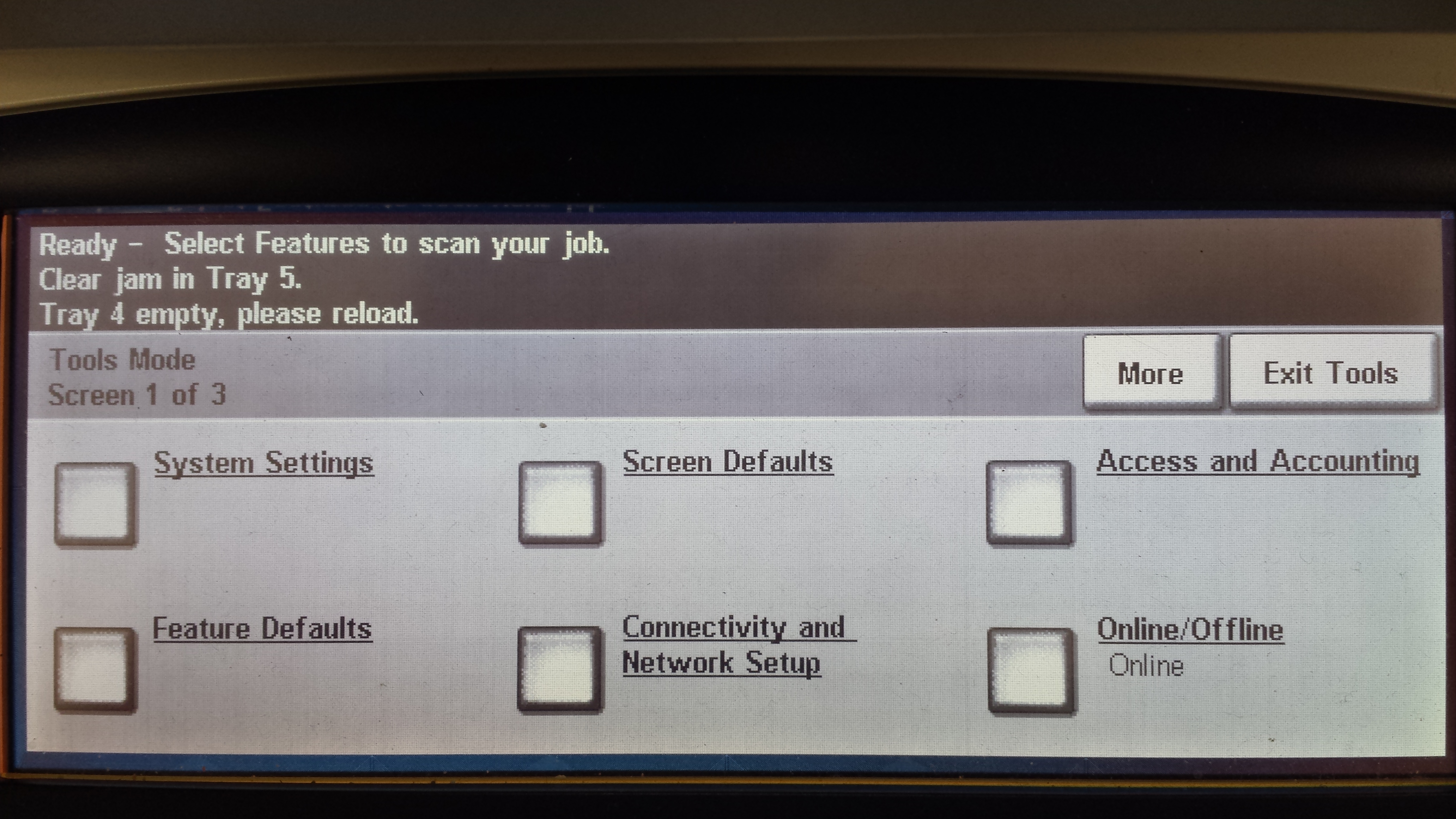
Log on the device as admin and access the tools menu. Select System Settings.
-
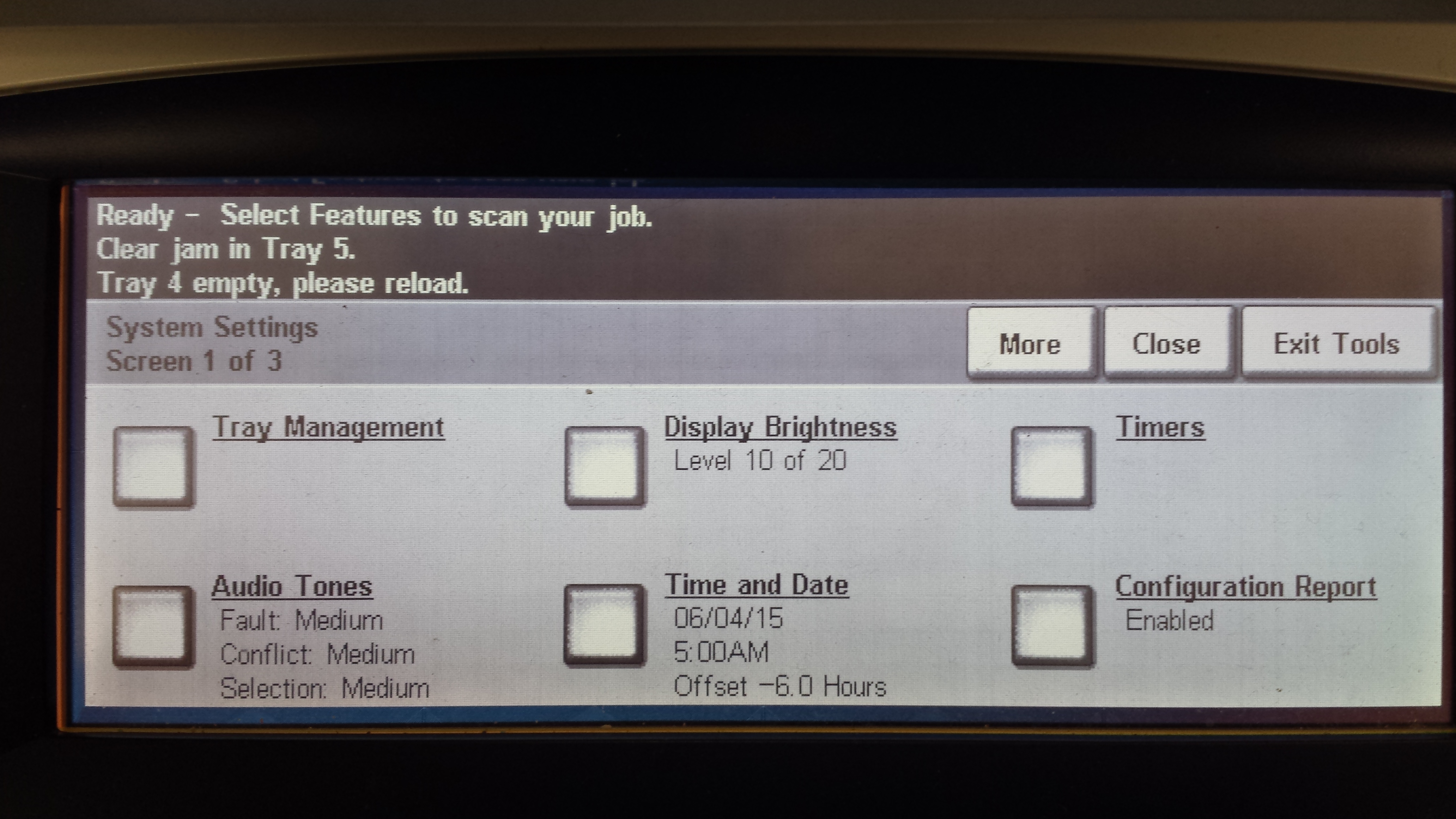
Select Time and Date.
-
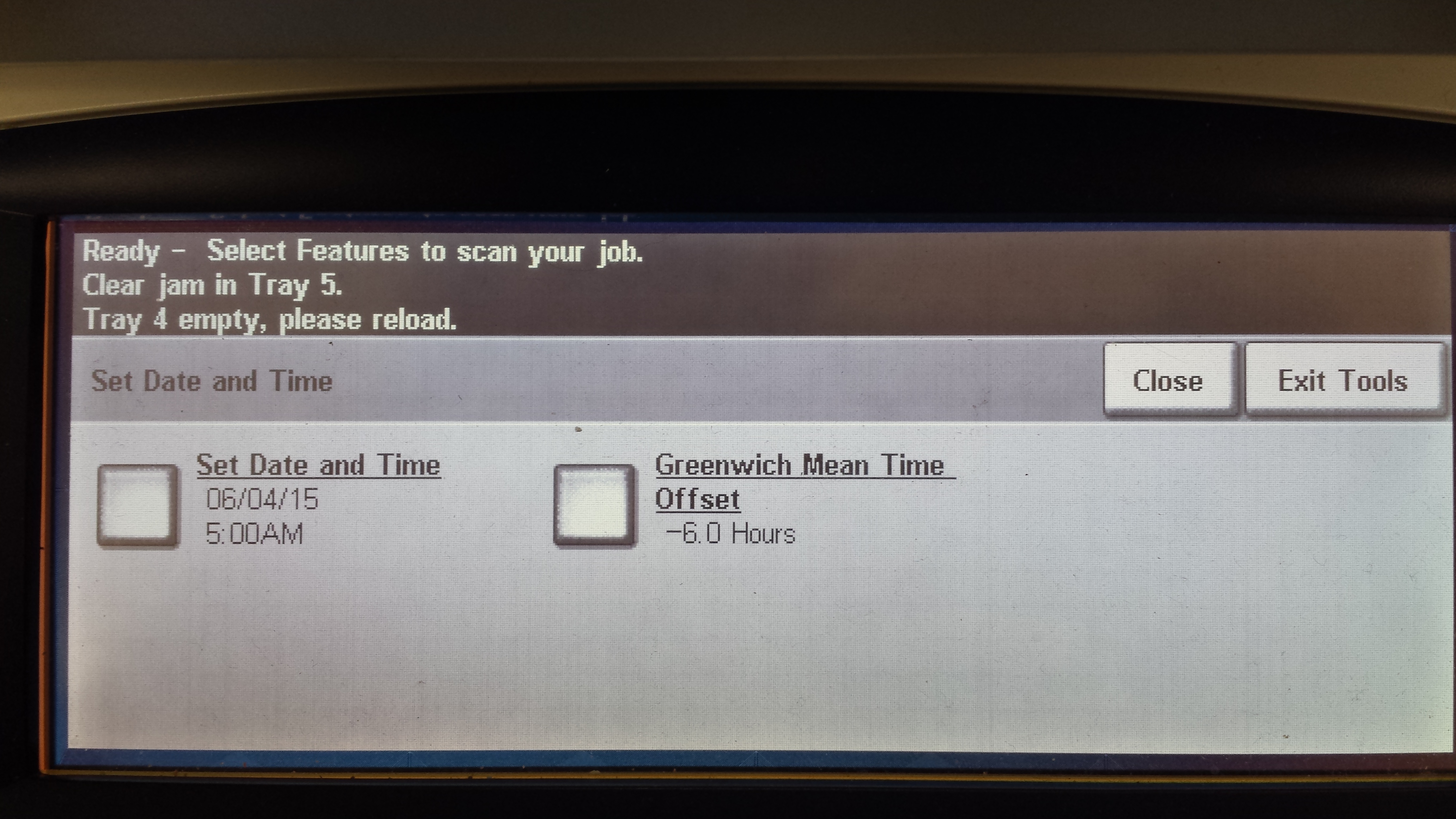
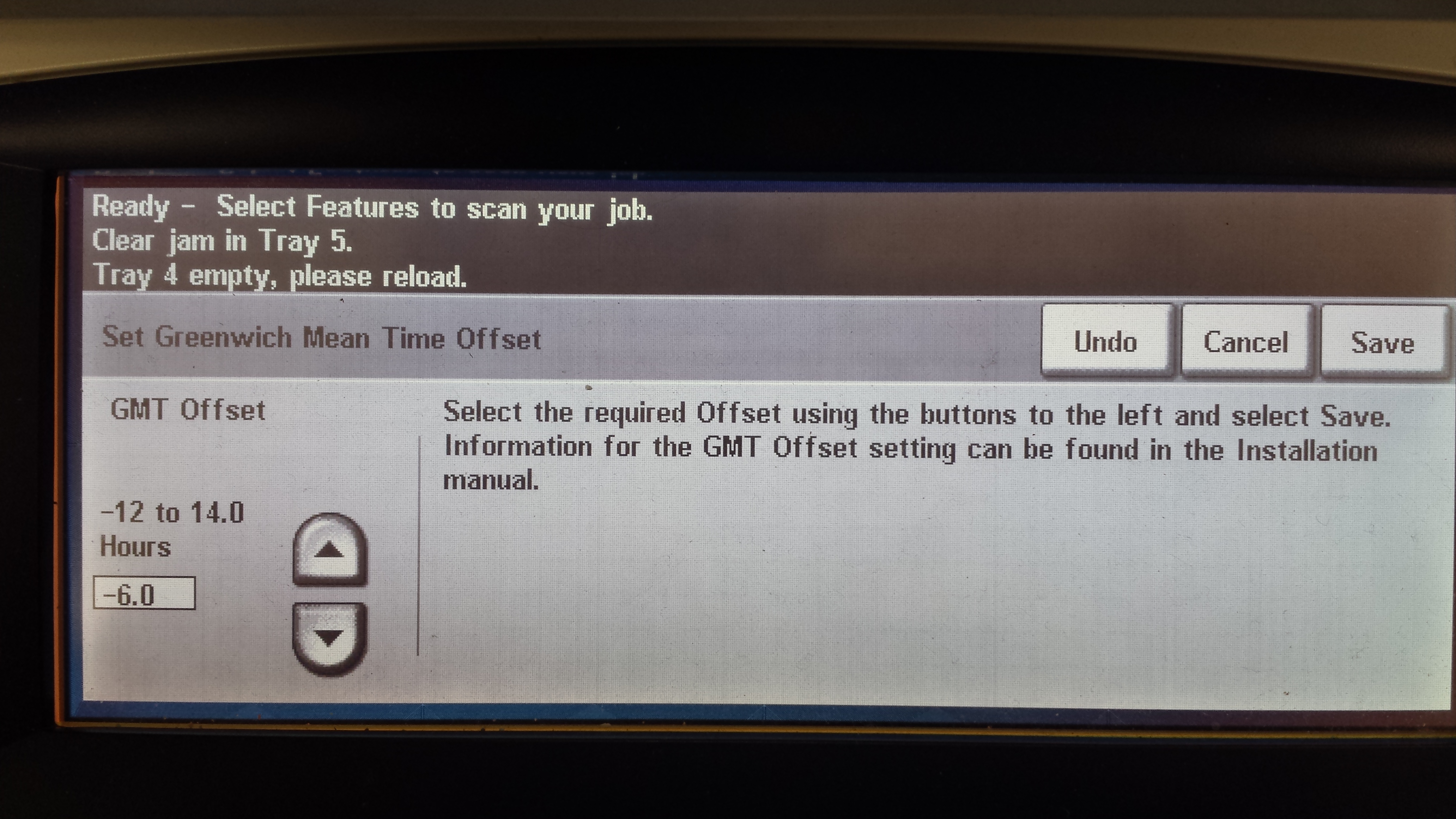
Select Greenwich Mean Time Offset and set the time zone.
-
Select Date and Time and set the values.
-
Make sure that you set both date and time before selecting reboot.
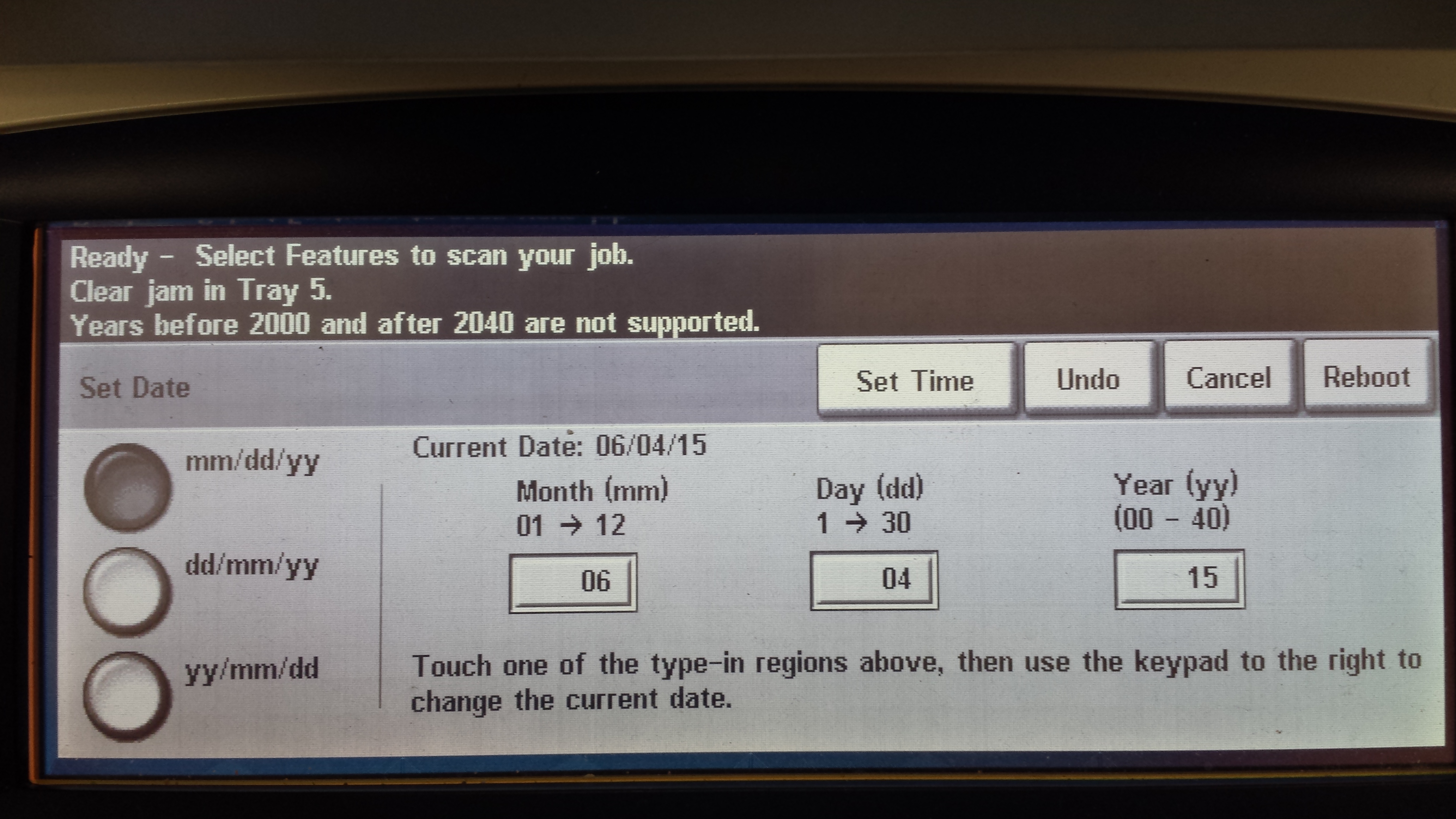
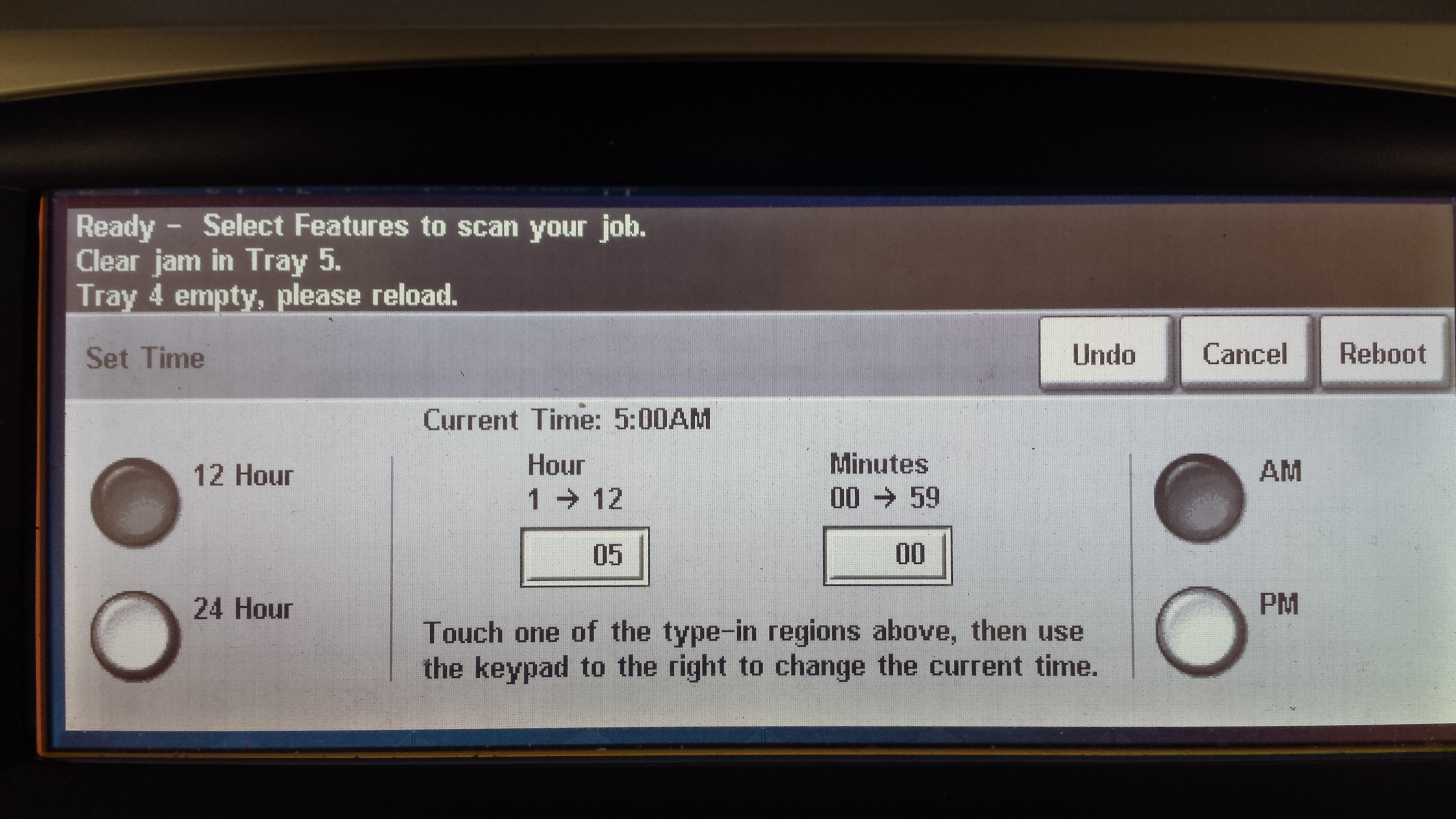
-
Once all values are set, select the Reboot button
Enabling Network accounting
-
Disable Xerox Standard Accounting: Properties > Accounting > Xerox Standard Accounting > Enablement.
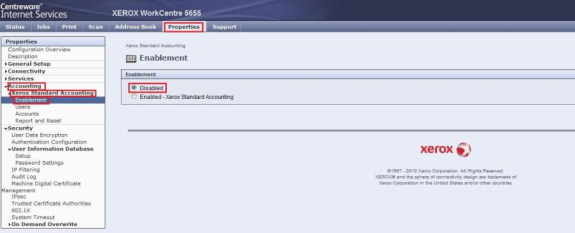
-
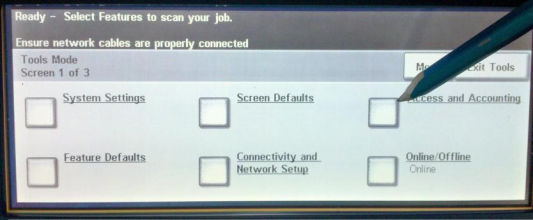
Go to Service menu on the embedded terminal Access and Accounting.
-
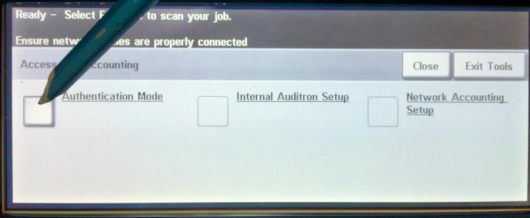
Go to the Authentication Mode.
-
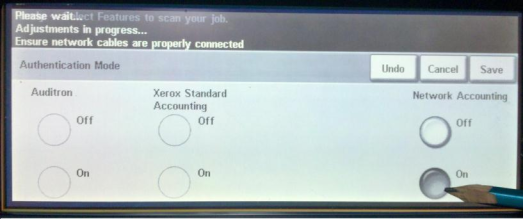
Set Network Accounting on.
-
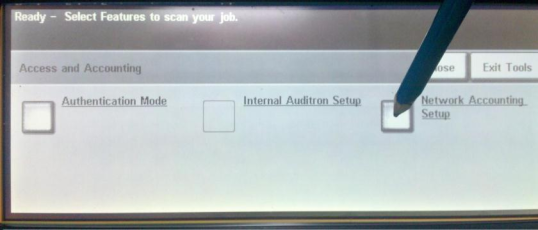
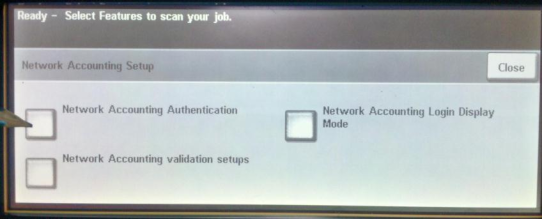
Go to the Network Accounting Setup.
-
Go back and use Network Accounting Authentication.
-
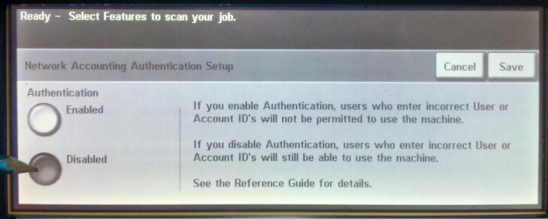
Disable Network Accounting Authentication Setup.
-
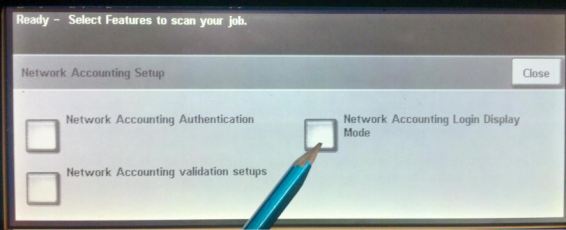
Go back and use Network Accounting Login Display Mode.
-
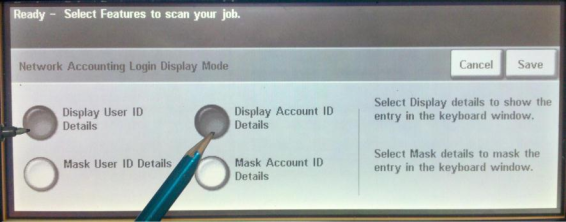
Set Network Accounting Login Display Mode to Display User ID Details and Display Account ID Details.