
In web interface it is allowed to manage objects structure dynamically using the organizational tree in the left-hand menu. You can reorganize hierarchy and move individual objects to the new locations.
-
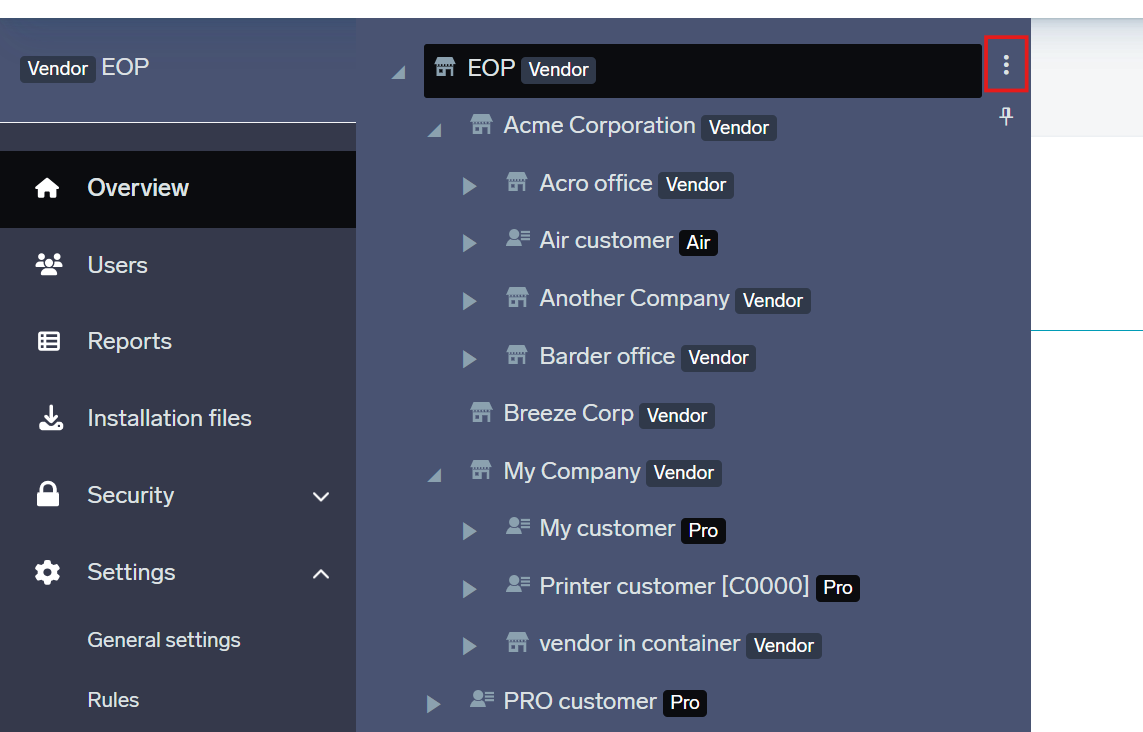
Click the three dots at the top-right of the navigation tree. Then click Organize tree.
-
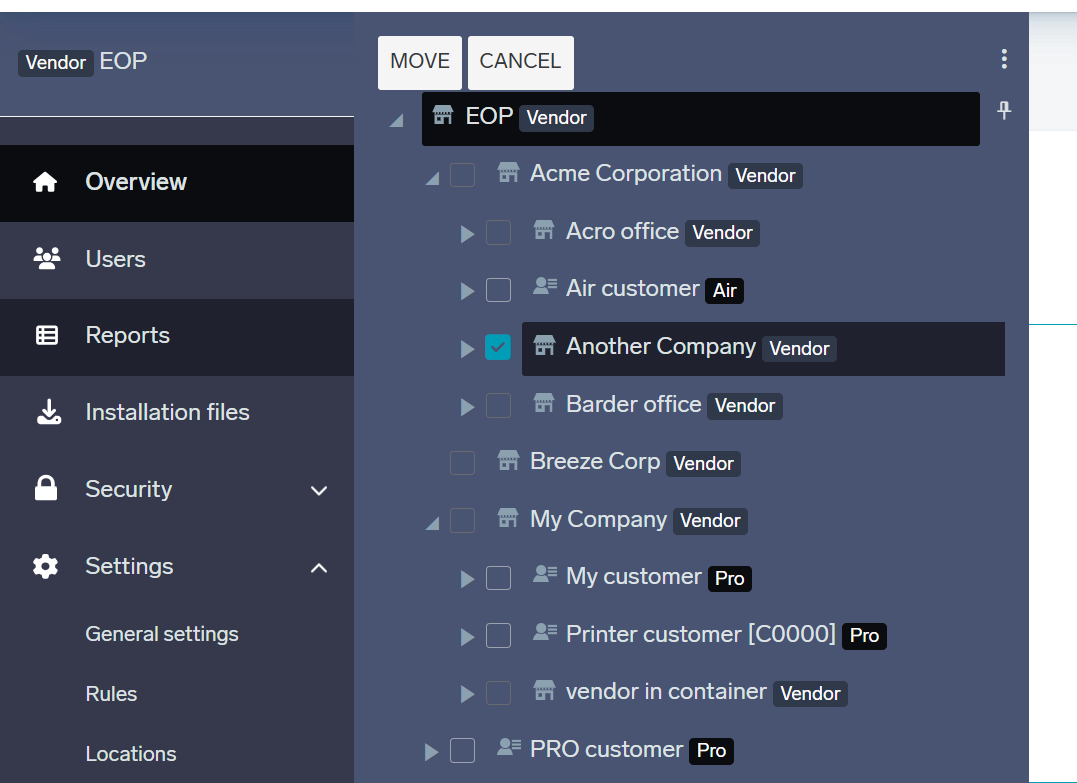
Select the object that you wish to move and click on Move.
-
Select the destination where you want to move it. Click Move.
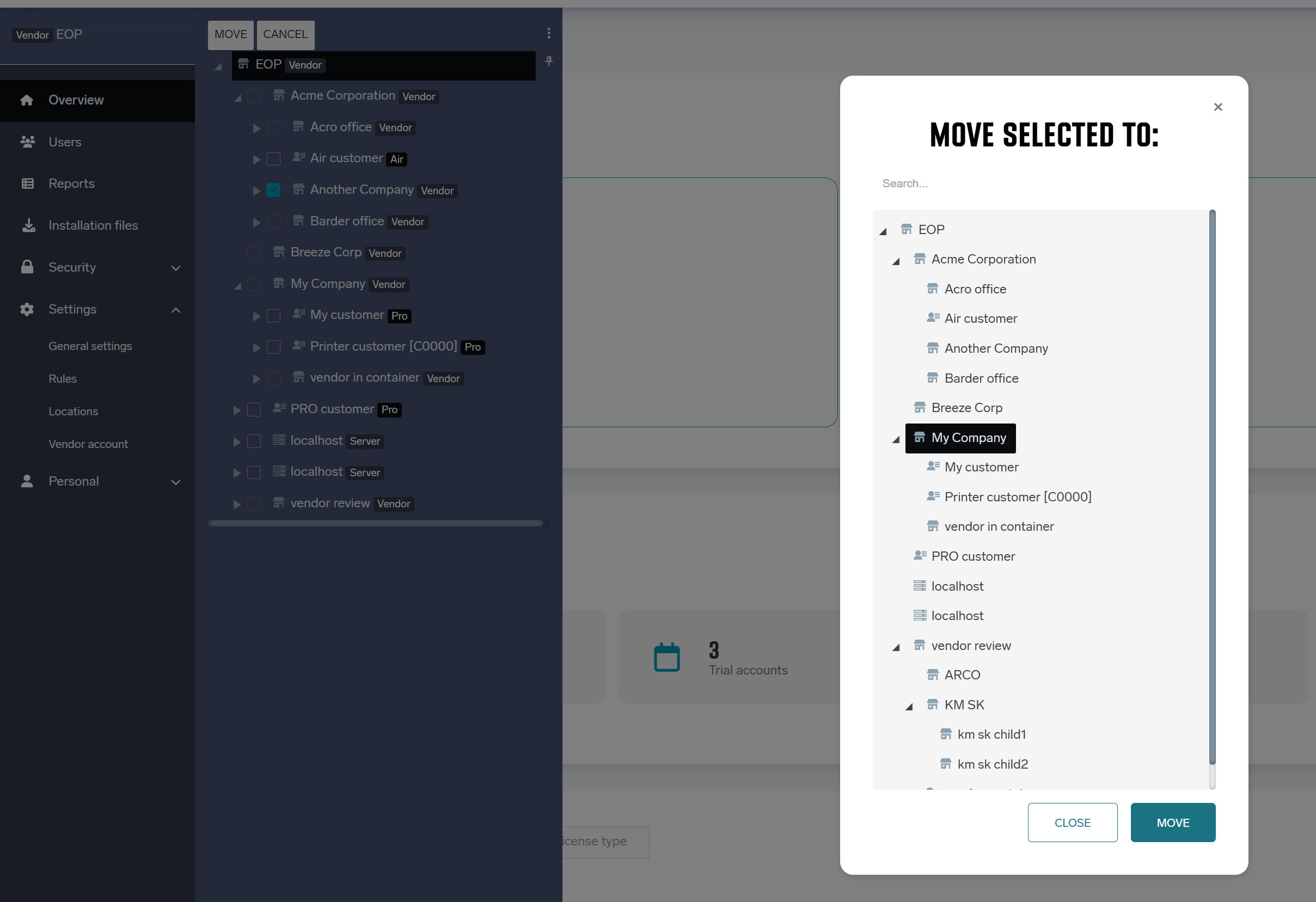
Some types of objects like printers, queues or servers can be moved only in scope of given account and its containers.