
Follow these steps to implement authentication via USB card reader. If a card reader will not be used, skip these steps.
Configuration on Zeus/Minerva models
-
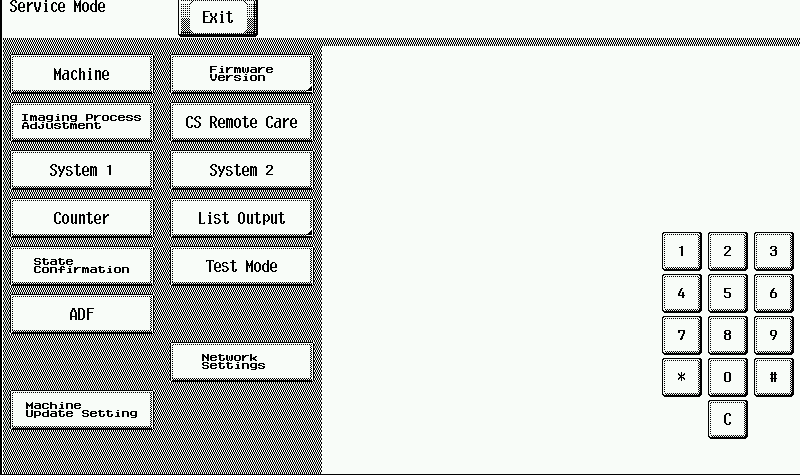
Enter the Service Mode menu on MFD.
For instructions on opening Service Mode and for your specific MFD, see Service manual available on InfoHub or contact your Konica Minolta distributor.
-
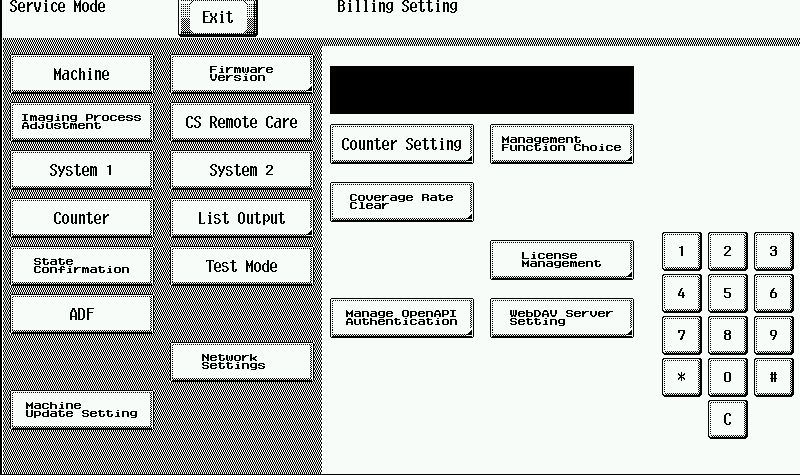
Enter the Billing Setting menu.
For instructions on opening the Billing Setting menu, see Service manual available on InfoHub or contact your Konica Minolta distributor.
-
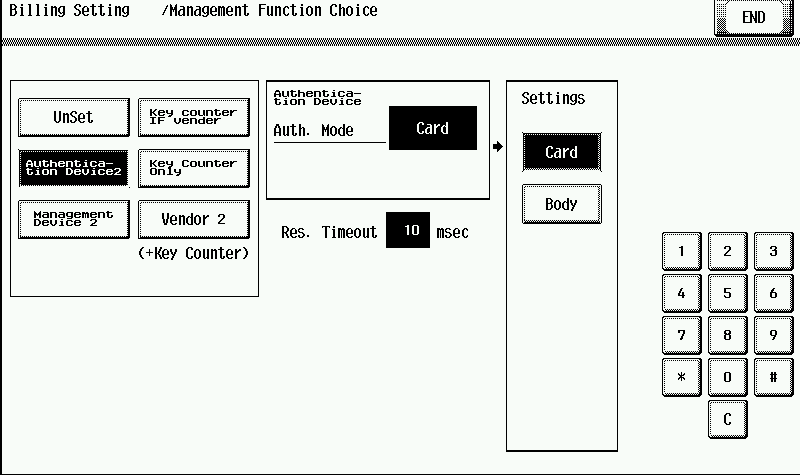
Tap Management Function Choice.
-
Tap Authentication Device 2.
-
Tap Card.
-
On the ID Card Type screen, tap CARD (to specify the USB reader). Then tap END.
-
Turn OFF the main power switch for at least 10 seconds.
-
Connect USB card reader.
-
Turn ON main power switch.
Configuration on ZeusS, ZeusS BK, Heslios, MinervaS BK, Poseidon, iSeries models
-
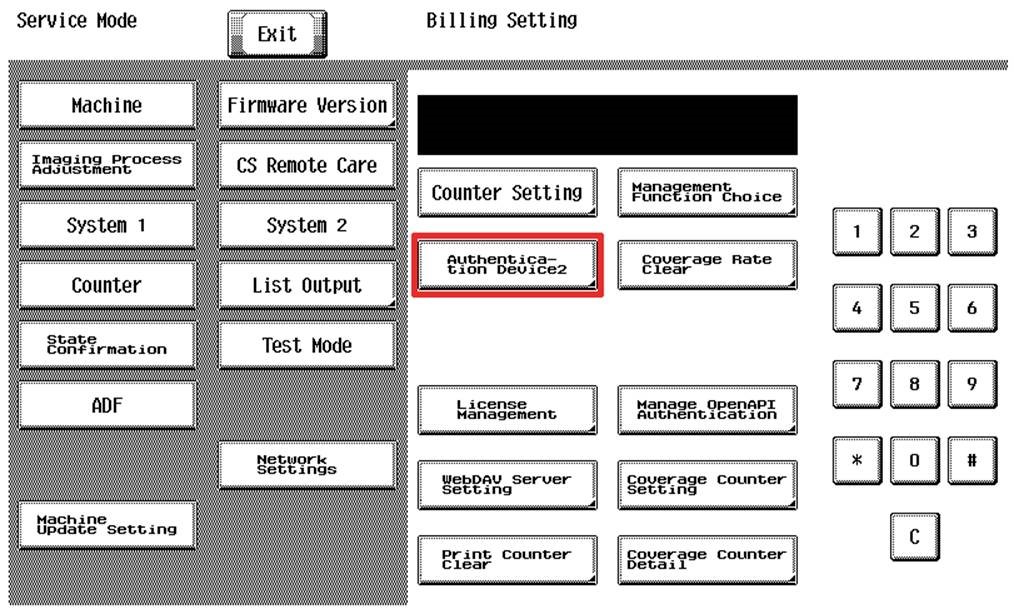
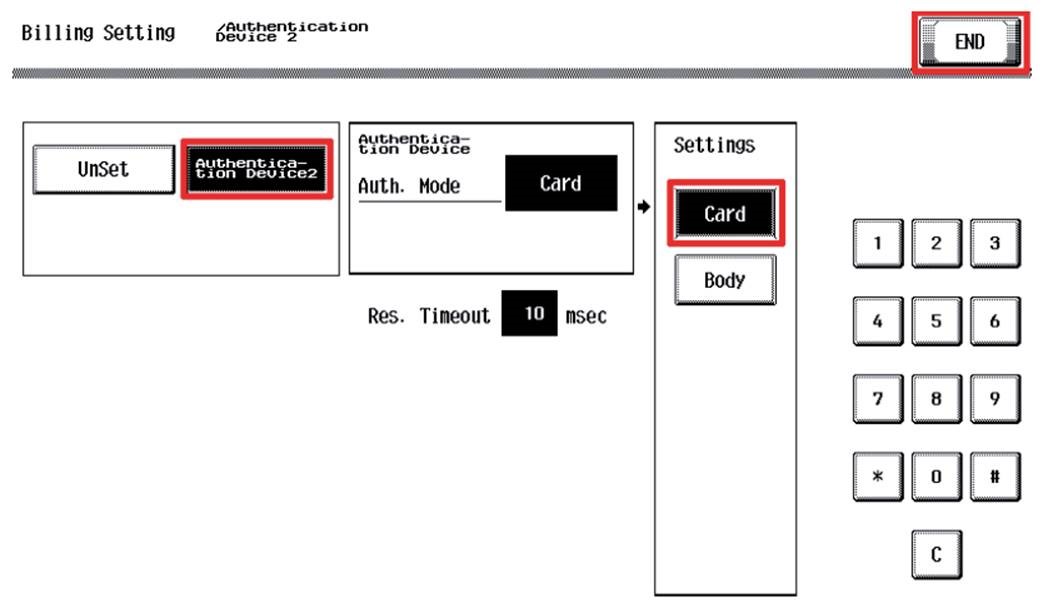
On Billing Setting menu select Authentication Device2 menu.
-
On Billing Setting/Authentication Device2 menu tap Authentication Device2
-
Tap Card (to specify the USB reader). Then tap END.
-
Turn OFF the main power switch for at least 10 seconds.
-
Connect USB card reader.
-
Turn ON main power switch.