
-
Templates are part of full installation package You can locate them under path
<installation package>\Complementary Solutions.
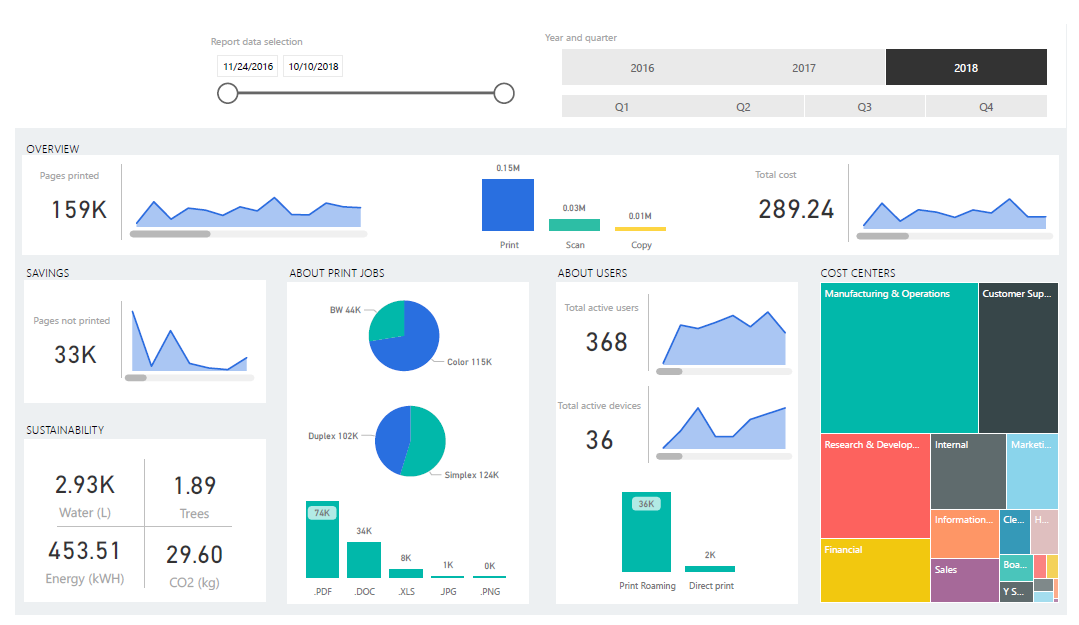
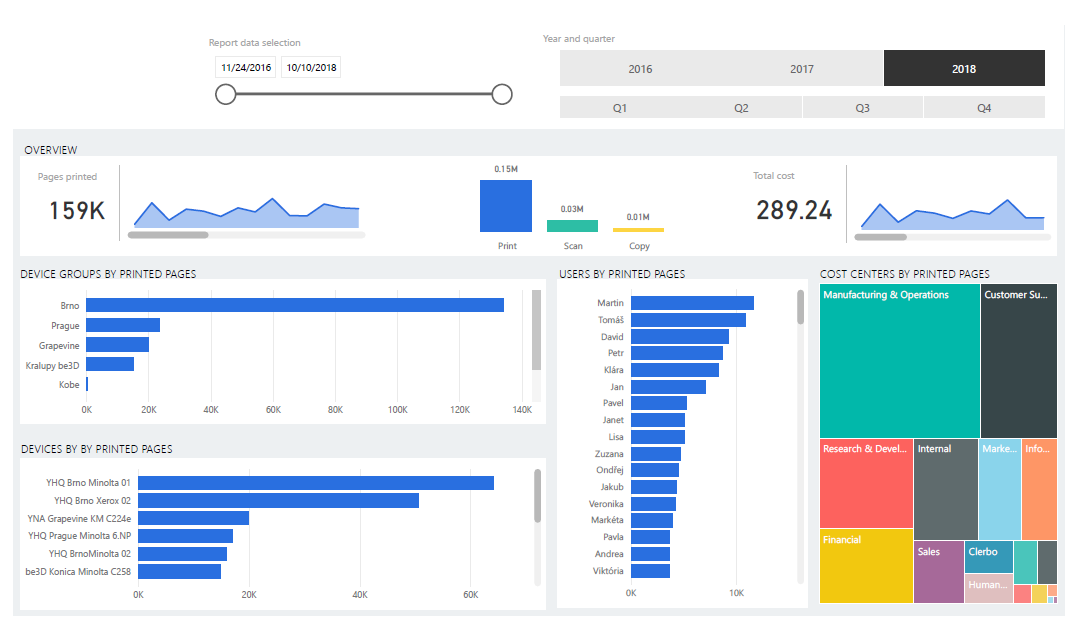
The main template will render YSoft SafeQ data similarly to what is depicted below.
-
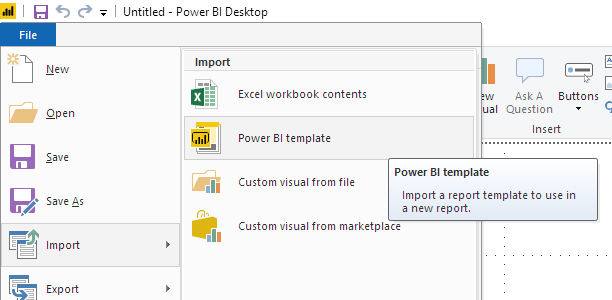
Import the template into Power BI Desktop.
-
(warning) This step requires to have ODBC connection created and working. See PostgreSQL ODBC driver for Power BI and MS SQL ODBC driver for Power BI articles.
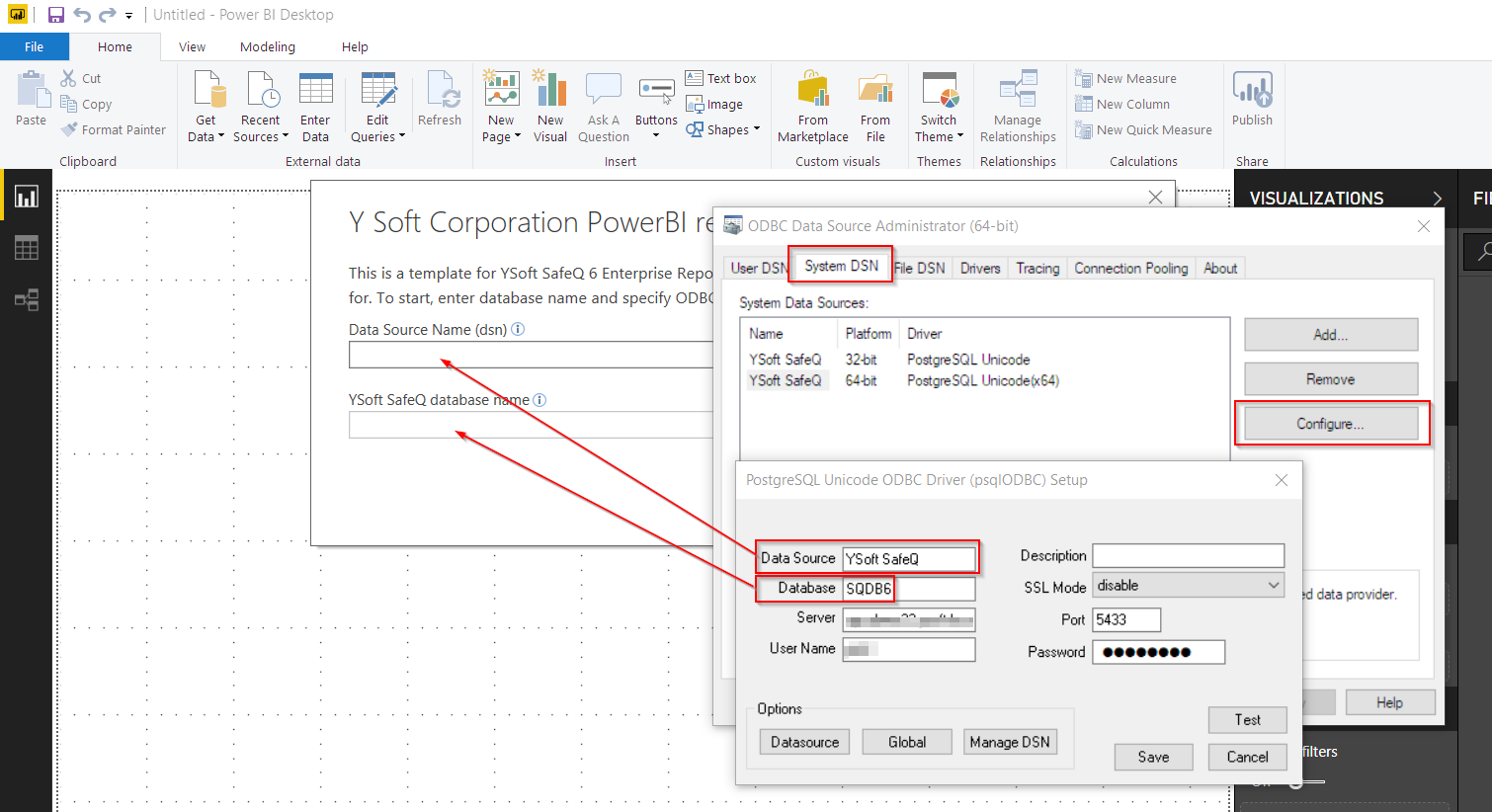
Enter connection information into the template
-
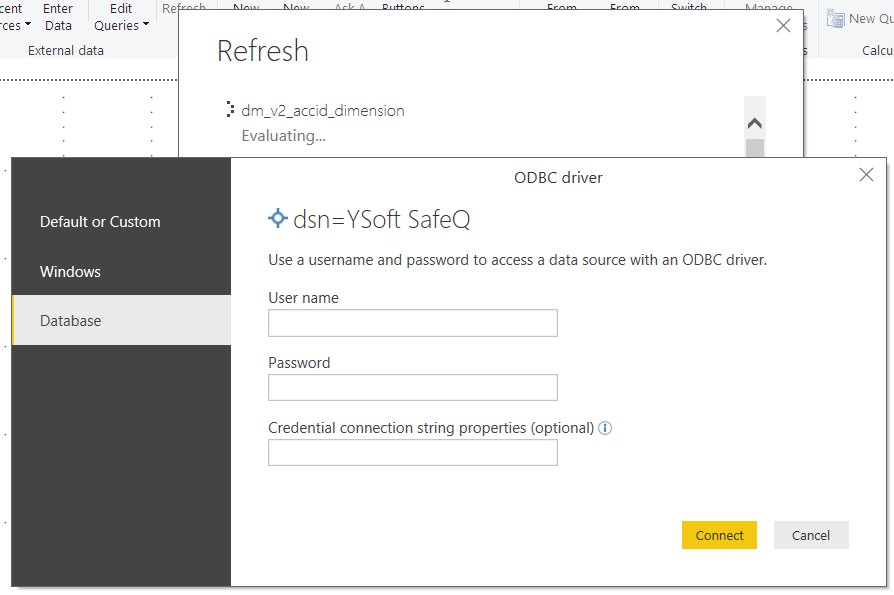
When prompted, enter database access account
-
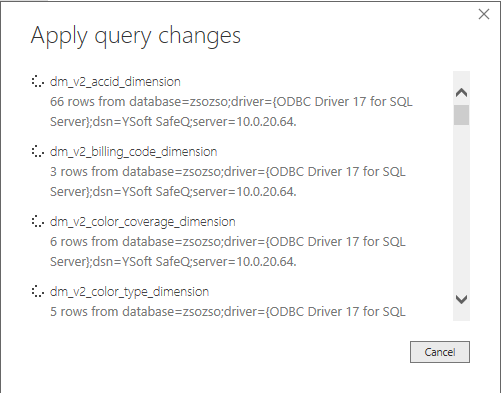
Back on the main PowerBI Desktop screen, wait for the report to load data.
Where to go next: Publish Power BI Report with Power Bi Gateway